
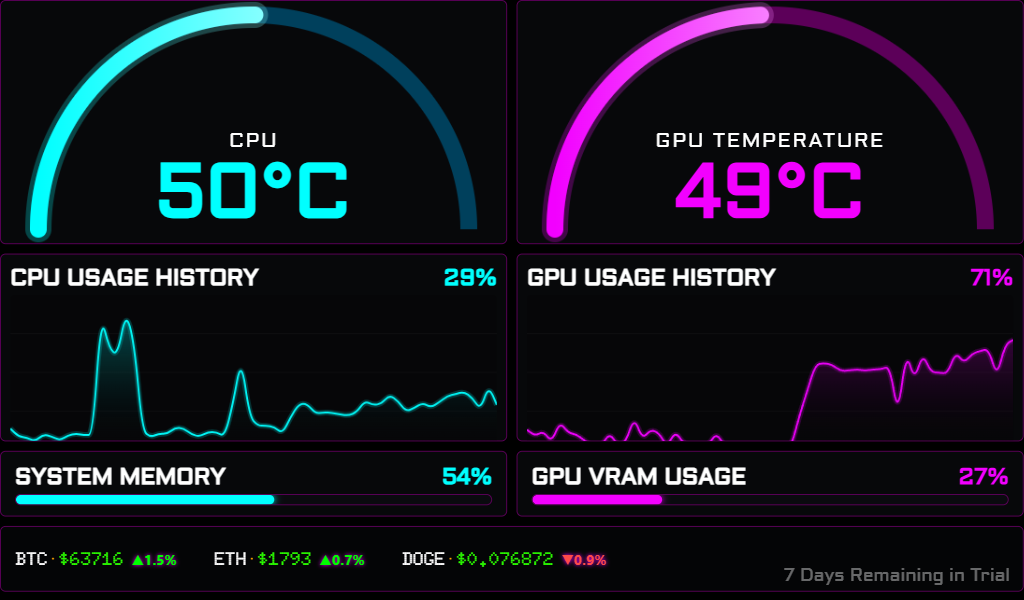

New
Version 1.0 is officially live
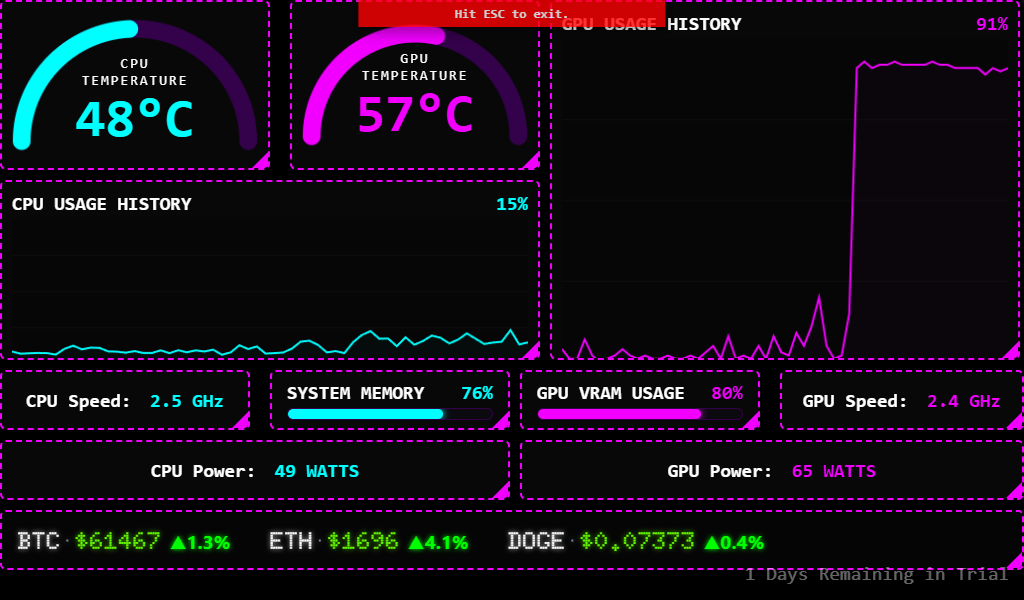
Create beautiful, real-time PC monitoring dashboards for any Windows display.
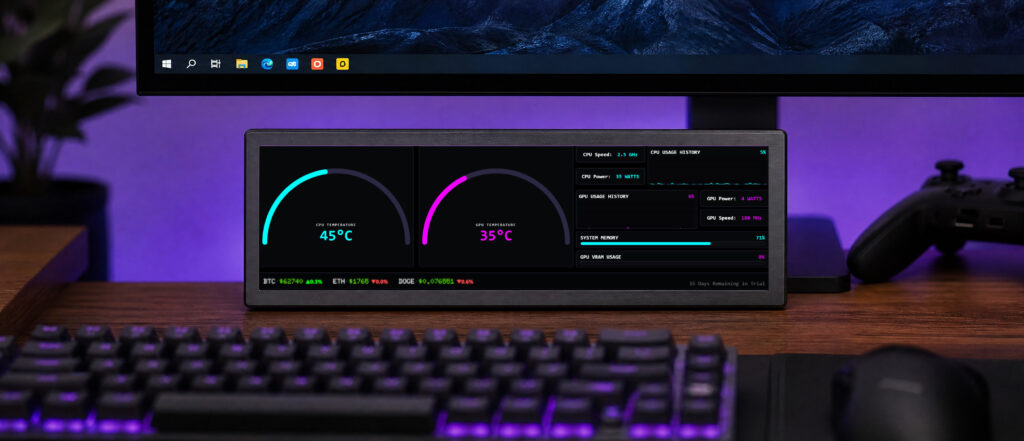
Built for any display
Create dashboards for your desktop, a secondary display or an internal display. One layout, endless possibilities.
Compatible with standard displays connected via HDMI, DisplayPort, or USB-C. FluxDash does not support proprietary USB sensor displays or custom hardware monitoring panels.
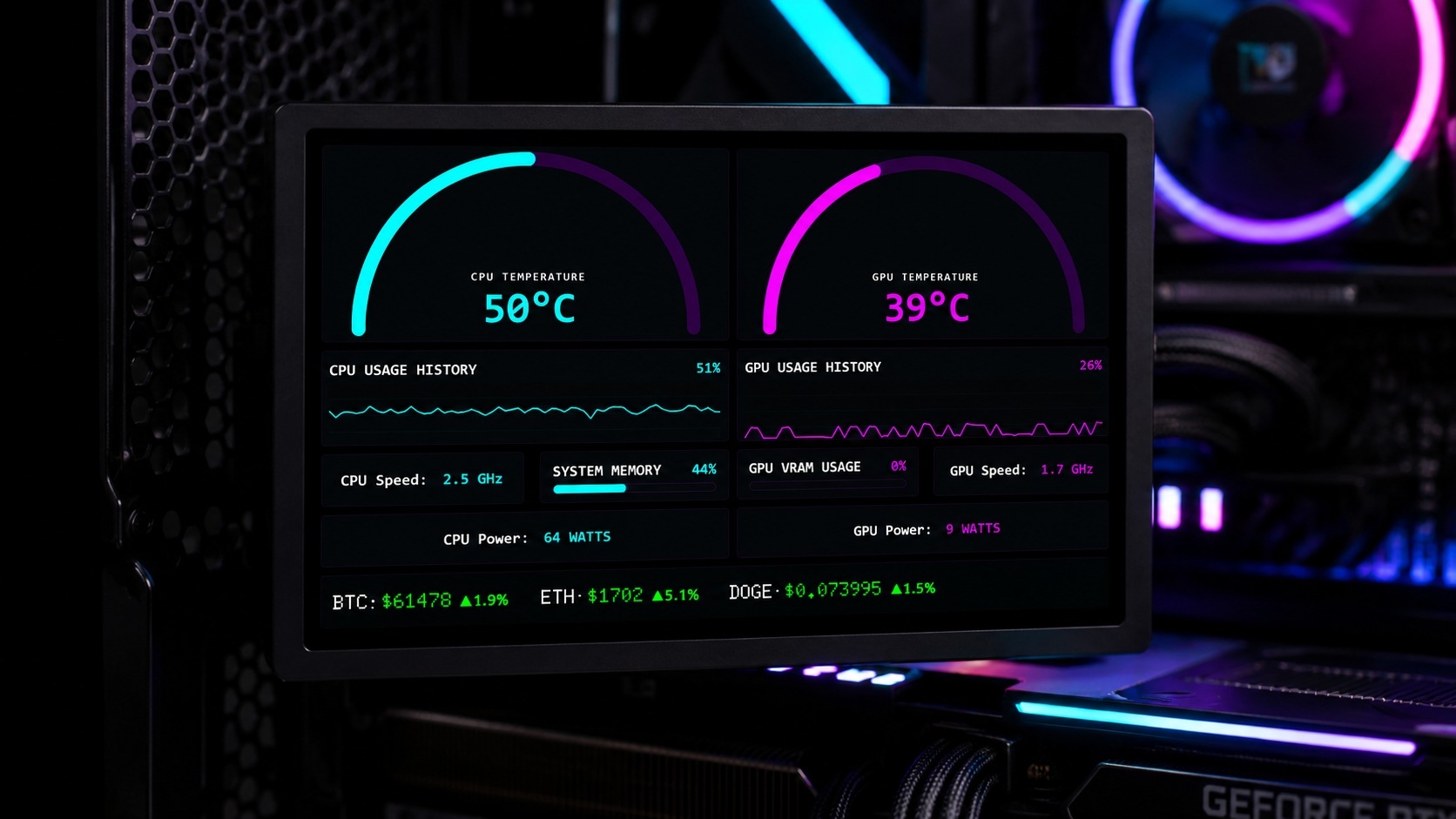
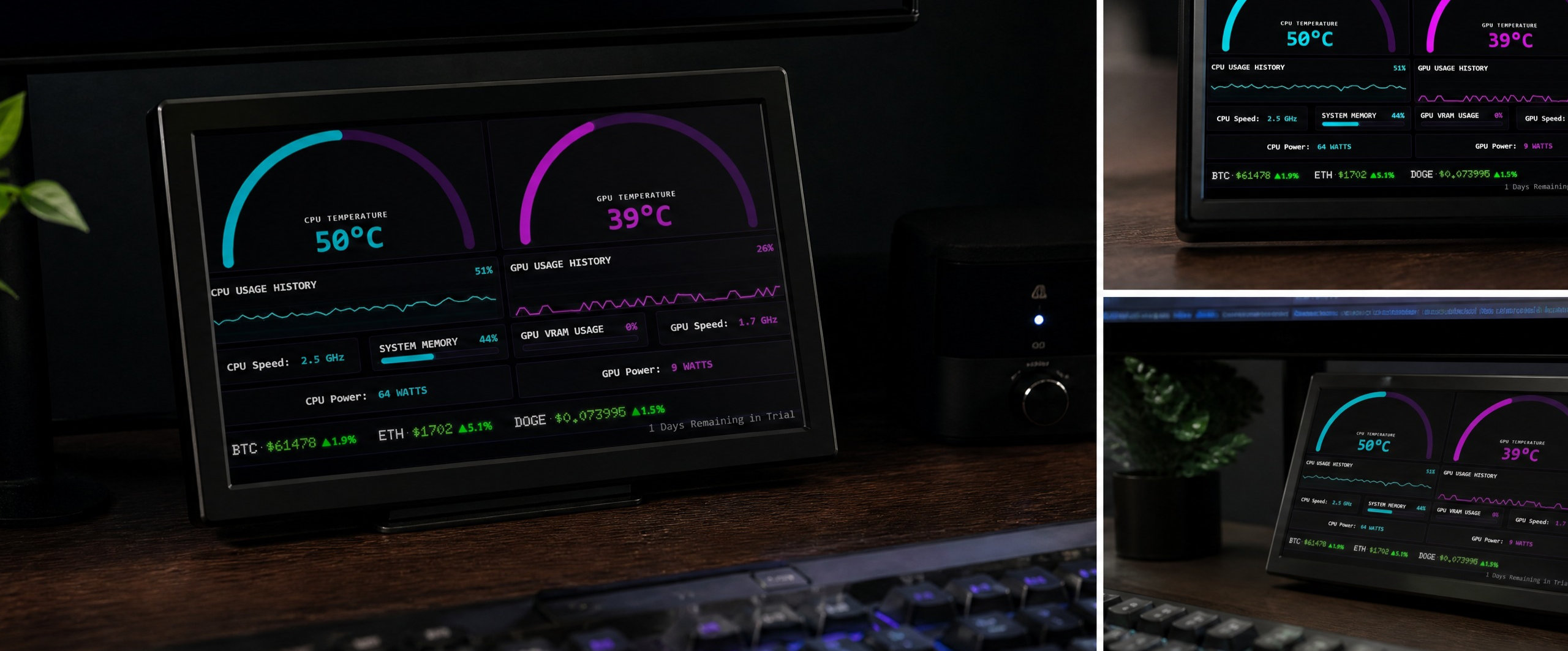
Your Dash. Your Rules.
Take control with the built-in Ouick Layout Editor. Resize widgets with a few clicks, optimize your workspace and build a dashboard that puts the information you care about exactly where you want it.
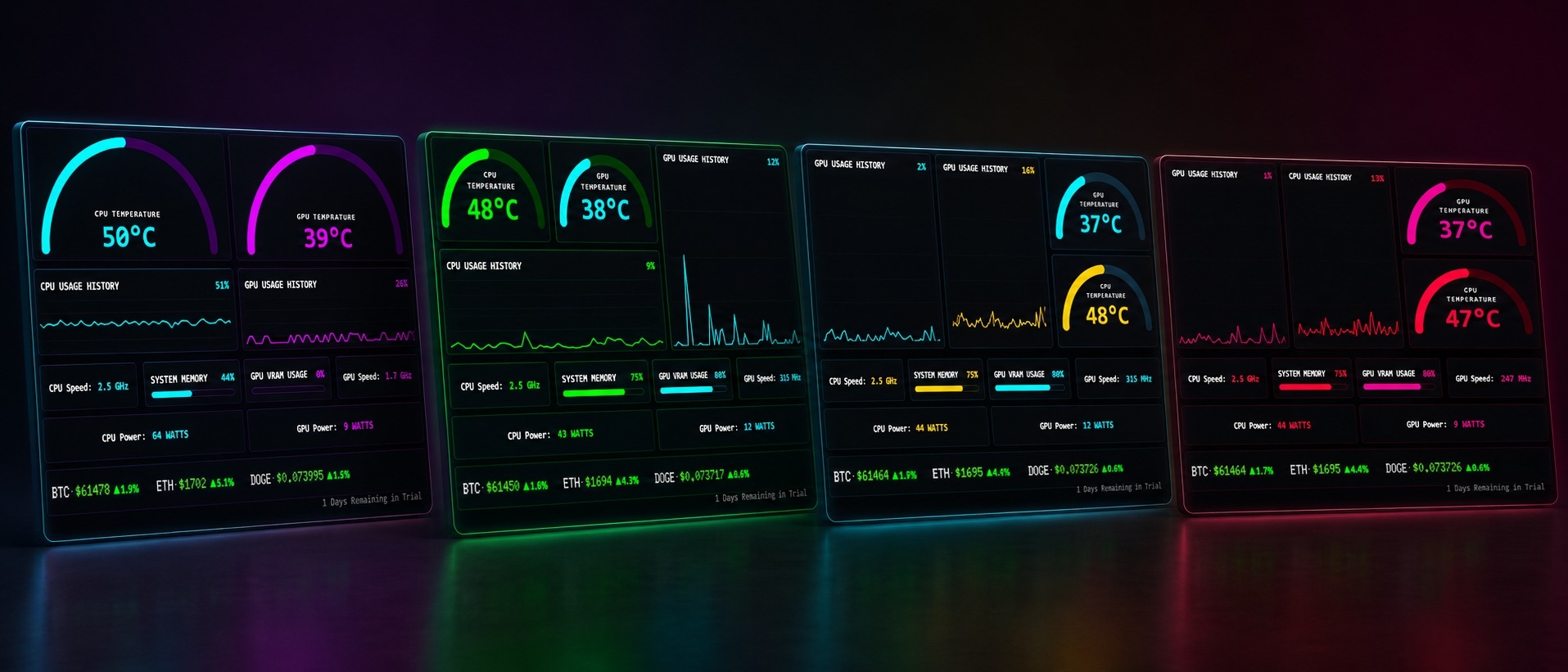
Custom themes. Or Build Your Own.
Features Overview
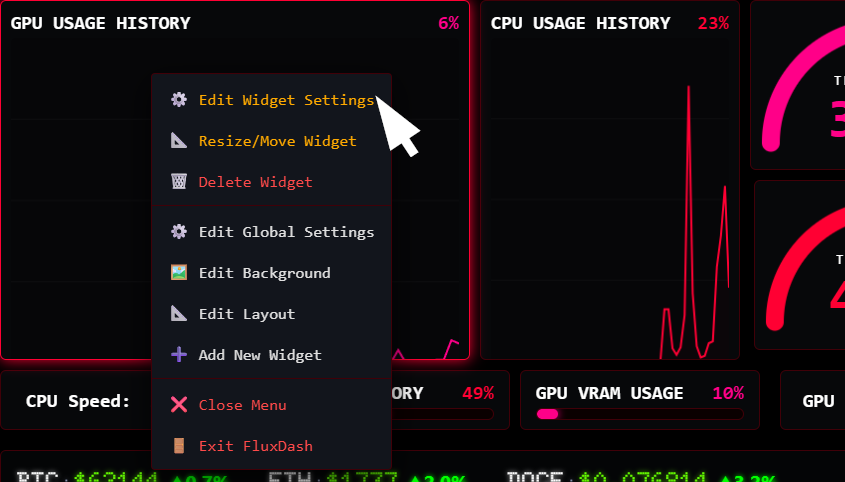
Edit Widgets Instantly
Customise sensors, colours, widget types and more with just a few clicks.
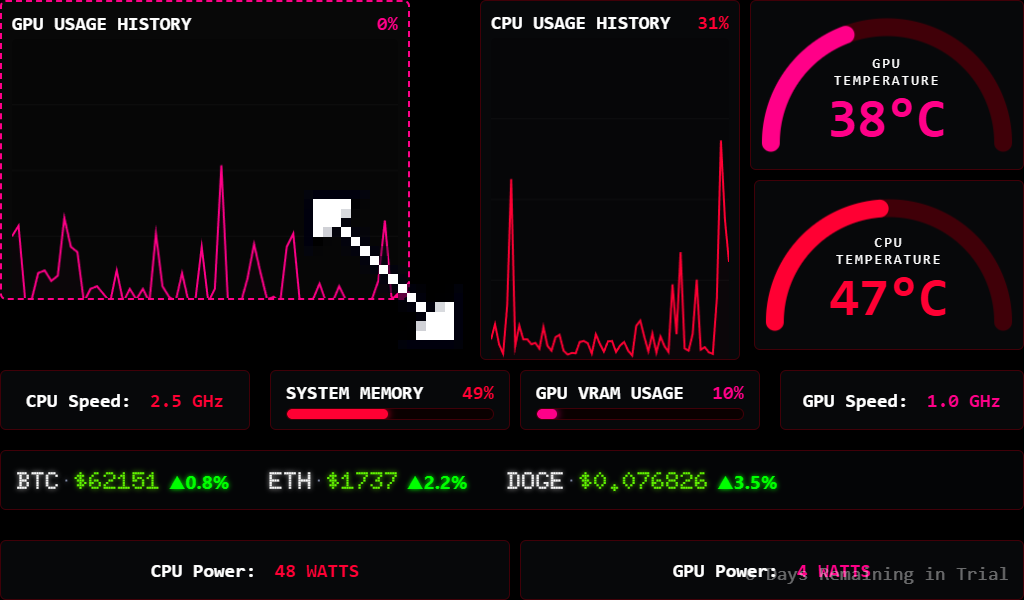
Build Perfect Layouts
Resize and arrange widgets effortlessly while automatic alignment keeps everything perfectly organized.
Customize Every Detail
Fine-tune labels, fonts, formatting, colours, and calculations to create dashboards that work your way.
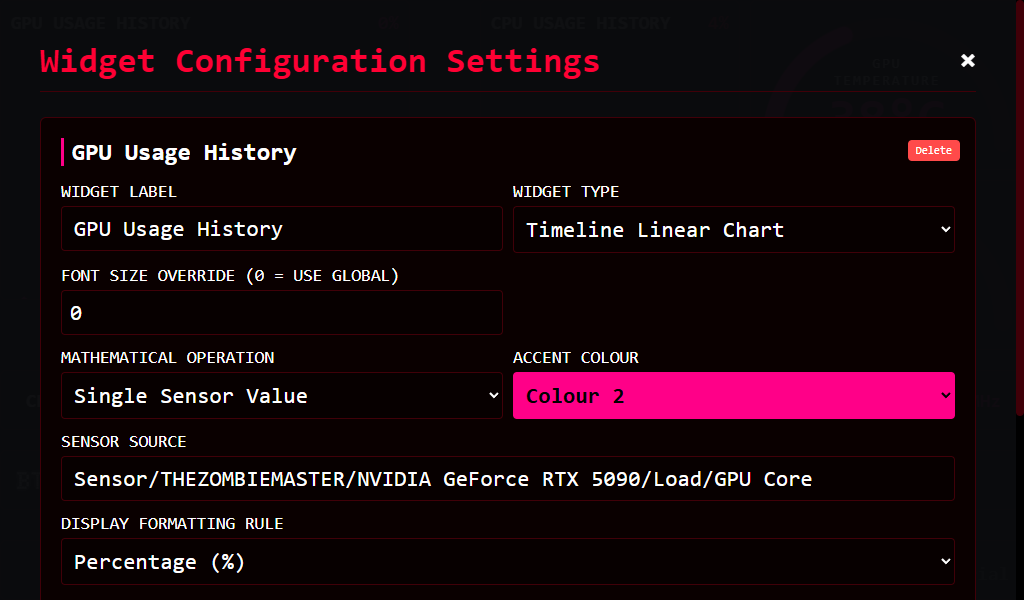
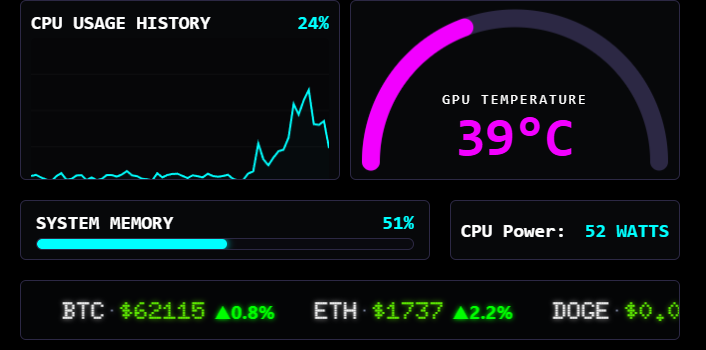
Mix & Match Widget Types
Combine gauges, graphs, bars, text, and tickers to build a dashboard that’s uniquely yours.
Pricing
Simple, Transparent Pricing
7-DAY TRIAL
Fully functional trial for 7-days.
FREE
Includes:
1 PC
Suitable for single PC users.
£9.99
£20.00
Includes:
3 PC
Excellent value for money if you have more than 1 PC you want to monitor!
£19.99
£29.99
Includes:
FAQ
Helpful Answers Before You Get Started
Find answers to the most common questions about features, pricing, integrations.
FluxDash is Windows software. It runs on your PC and displays live hardware information on any connected monitor. You can use it on your desktop, a second monitor, or a small display installed inside your PC case. No proprietary hardware is required.
FluxDash is a Windows application that transforms your PC’s hardware data into beautiful, fully customizable monitoring dashboards. Track temperatures, usage, clock speeds, power consumption, memory, and hundreds of other sensors in real time.
No. FluxDash runs on any Windows monitor, whether it’s your main display, a secondary monitor, or a small HDMI, DisplayPort, or USB-C display mounted inside your PC case.
FluxDash supports every sensor exposed through LibreHardwareMonitor, including CPU, GPU, memory, storage, motherboard, cooling, power, network, and much more. If LibreHardwareMonitor can read it, FluxDash can display it.
FluxDash supports Windows and works with most modern Intel and AMD processors, NVIDIA and AMD graphics cards and any hardware supported by LibreHardwareMonitor.
FluxDash is designed to be lightweight while continuously monitoring your hardware. It can run alongside your games so you can keep an eye on system performance without cluttering your desktop.
Yes. FluxDash can launch automatically when Windows starts, so your monitoring dashboard is always ready without any extra setup.
FluxDash is available as a one-time purchase, which includes 12 months of updates and 3 months of support. After that, the software continues to work. You simply won’t receive new updates unless you renew your support period.
Yes. Every widget can be assigned to any sensor available through LibreHardwareMonitor, giving you complete freedom to build the dashboard you want.
Blogs
Learn from Experts, Insights, and Resources

Try It Free.
Get started without limits. Explore all features at your own pace.